Scheduled Events & Path to the Pro Tour
Your path to the highest-level competition in Magic: The Gathering begins on Magic Online!
Our Premier Play has two main tracks:
- RC Qualifiers and RC Super Qualifiers offer multiple invitations to upcoming tabletop Regional Championship events
- The Magic Online Champions Showcase awards eight Pro Tour invites and two World Championship seats during each four-month season
To enter Premier Play tournaments, you will need to earn Qualifier Points (QP). You can combine grinding out top finishes in Leagues with high placements in Scheduled Events - which award QP in larger chunks. The magic number is generally 40 QP for an entry.
Tip: Qualifier Points are seasonal, so they generally are good for about four months. After that, they expire! Occasionally, some draft events will offer free entry for a short period using QP after the season. Be sure to keep up with Magic Online's Weekly Announcements Blog for details.
Click here for full details on the entire Magic Online Premier Play program!
Scheduled Events
Scheduled Events have specific start times and generally feature the highest level of competition available on Magic Online. Generally, they are structured in the same way as a high-level tabletop Magic: The Gathering tournament – several Swiss rounds based on attendance, followed by a single-elimination playoff among the Top 8 finishers. Alternatively, some events offer a fixed number of rounds with no playoff.
When Are Scheduled Events Held?
There are several ways to see the upcoming schedule of tournaments across many of Magic Online's Constructed and Limited formats:
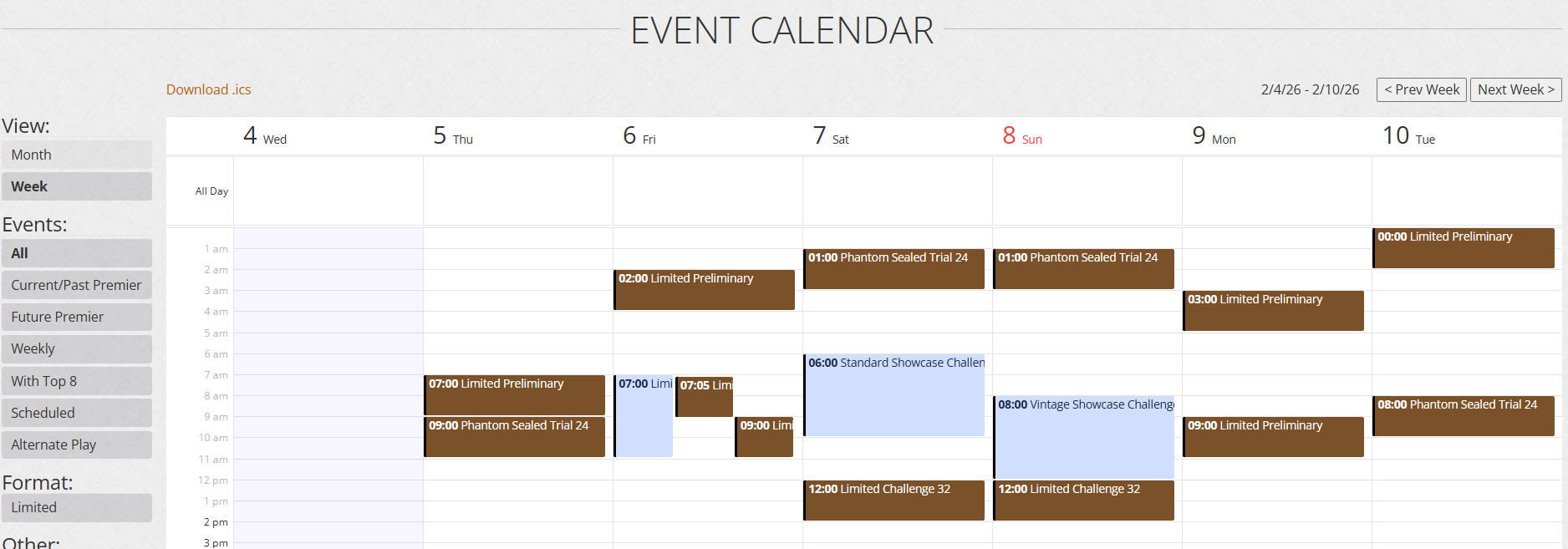
1) Our main Events Calendar - filterable, weekly and monthly with Premier events always in view

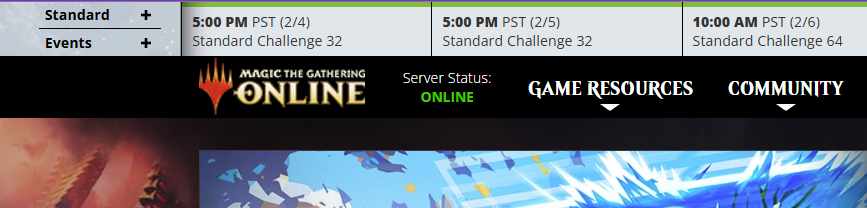
2) The Events Ticker at the top of the MTGO.com home page
3) The Weekly Preliminary & Challenge Schedule and the full season's Premier Play Calendar
Joining a Scheduled Event
Click Constructed, then select your preferred format on the left of the Play Lobby. If you prefer Sealed Deck events, click Limited at the top, then Premier Events. Look for events with a silver, gold, or mythic orange border.


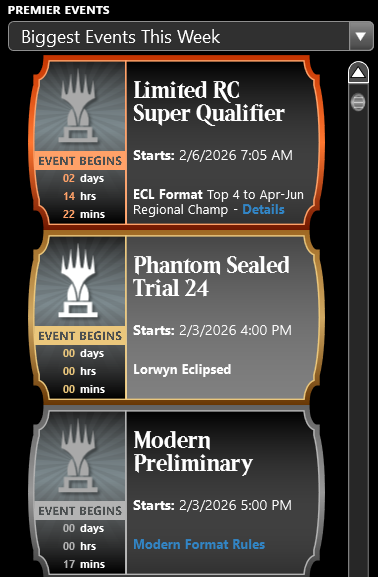
The highest-level events also appear in the Premier Events pane of the Home Scene. The dropdown there lets you view the biggest upcoming events, or the events that are closest to starting.
To join a Scheduled Event, click the event you would like to enter (or double-click it from the Home Scene) and click on your preferred entry option.
- For Limited Events, after joining the event, you just need to be at your computer and logged into Magic Online when the event starts.
- For Constructed Events, before clicking the entry option, ensure your deck in its proper configuration (main deck, sideboard and quantities) in the Play Lobby's Deck tab.
- You must complete joining the event before the timer hits 00:00 or risk not being able to participate in the event.
- If you join an event and change your mind before it starts, choose Drop from Event and you will be refunded your entry option.
Tip: You can enter Scheduled Events well before the event begins. These events have a player cap, so entering early can ensure that you will be able to play. Just make sure your back at your computer and logged in to Magic Online before the event starts.
Tip: Closing the main Magic Online window doesn’t remove you from an event or game that hasn't started or is in progress.
For more information about Limited deckbuilding, please see the Sealed Deck, Draft, & Cube tab.
Event Details Window
Once you've joined the tournament, your hub of information is the Event Details window. Here's a look at an event in progress:
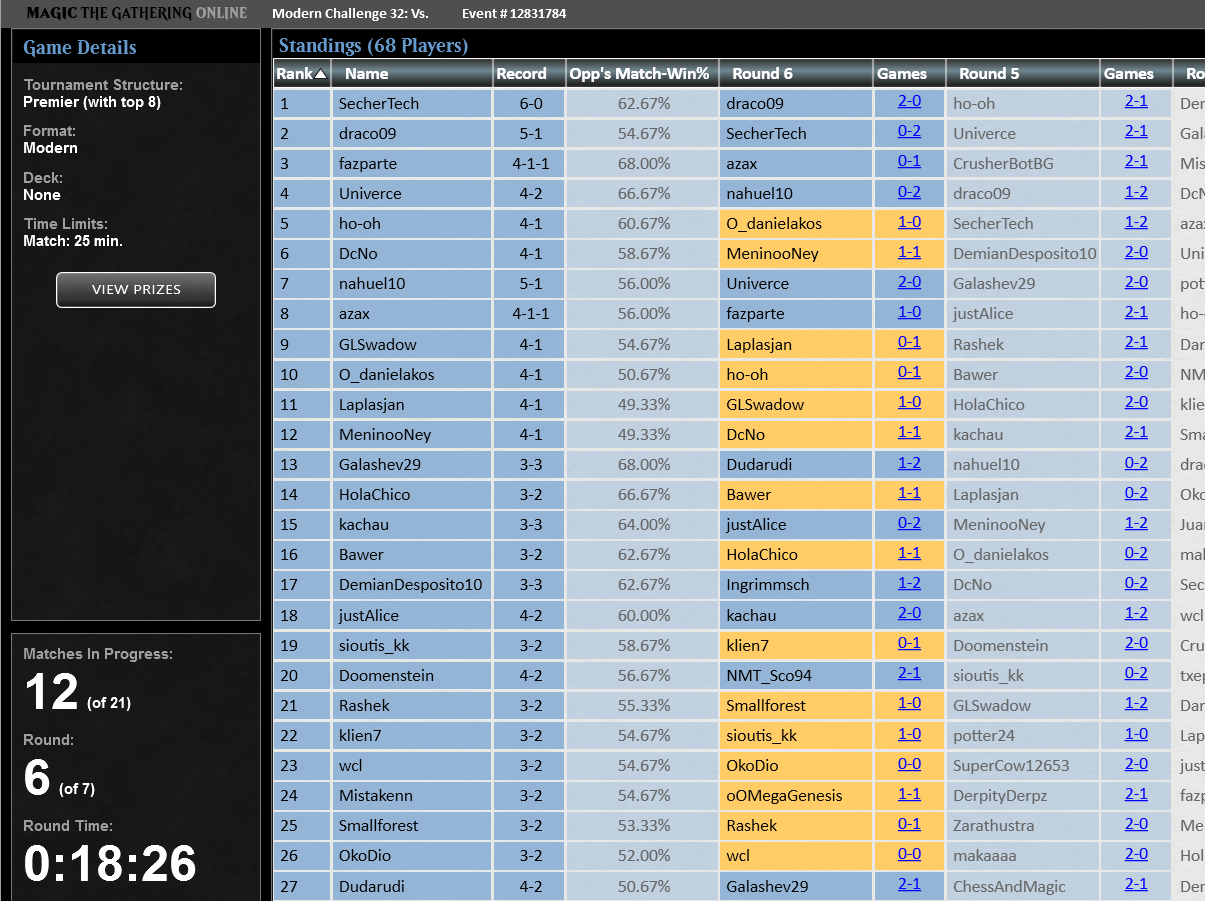
Unlike Leagues, each round of a Scheduled Event ends as soon as the last match is completed. The Event Details screen tracks how many matches remain, and which players are involved (highlighted in yellow). While a round is in progress, the standings entering the current round are shown with players listed in order of tiebreakers. Standings aren’t updated until all matches in a round are finished.
There is a two-minute break between each round, as well as a two-minute break between the Swiss rounds and the start of the Top 8 playoff.
Pairings for Top 8 playoffs are determined as follows:
- For Constructed: #1 seed vs. #8 and #4 vs. #5 in one bracket; #3 vs. #6 and #2 vs. #7 in the other
- For Limited: Players are seated in order of Swiss finish, then play across the pod - #1 seed vs. #5 and #3 vs. #7 in one bracket; #2 vs. #6 and #4 vs. #8 in the other.
- A die roll determines the first player in all matches
The number of Swiss rounds in a Scheduled Event is determined by the number of players that joined when the event begins:
| Players | Rounds | Players | Rounds |
| 8 | 3 | 65-128 | 7 |
| 9-16 | 4 | 129-212 | 8 |
| 17-32 | 5 | 213-384 | 9 |
| 33-64 | 6 | 385-672 | 10 |
You can drop from the event at any time. Tournaments wait to pay out prizes until that event fully finishes (including playoff rounds).
RC Qualifiers & RC Super Qualifiers
Magic Online provides the only digital qualifying path to tabletop's Regional Championship events - the first step on the way to the Pro Tour and World Championship!
| Event | Entry | Typical Size | #/Season | Advancement | Prizes |
 |
40 |
150-300 | 6-10 | Top 2 Invited to Regional Championship |
Top 64 |
 |
40 Qualifier Points or |
180-500 | 10-14 | Top 4 Invited to Regional Championship |
Top 128 |
Note: Tabletop RC qualifying seasons are different from MOCS seasons. Be sure to consult the Premier Play Calendar.
Click here for full details on the Magic Online Premier Play program!