Find Casual Games
For Limited Play, click here
Once your Constructed deck is built, there are several ways to play casual matches with friends or other Magic Online players:
From Collection
Each deck in your Collection has a Play button under Decks & Formats on the bottom left of the screen and in the title bar when viewing it. Click either of those, and you’ll be immediately be joined to a best-of-three match (single game for Commander) or waiting for someone else to join.
TIP: If 'Play Now' is greyed out, make sure your deck is legal for the chosen format

Quick Play
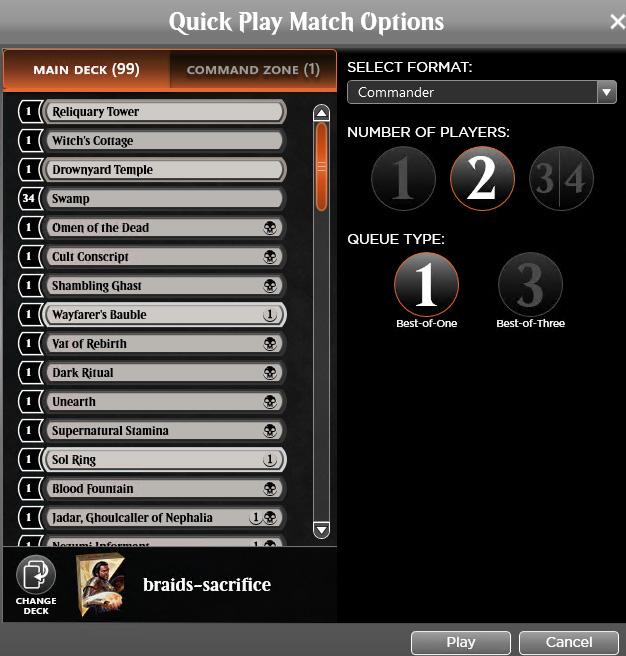
Choose your format and deck, how many players, how many games for the match, then click ‘Play.' You'll then be joined to a match or waiting for someone to join.

Format Play Lobby
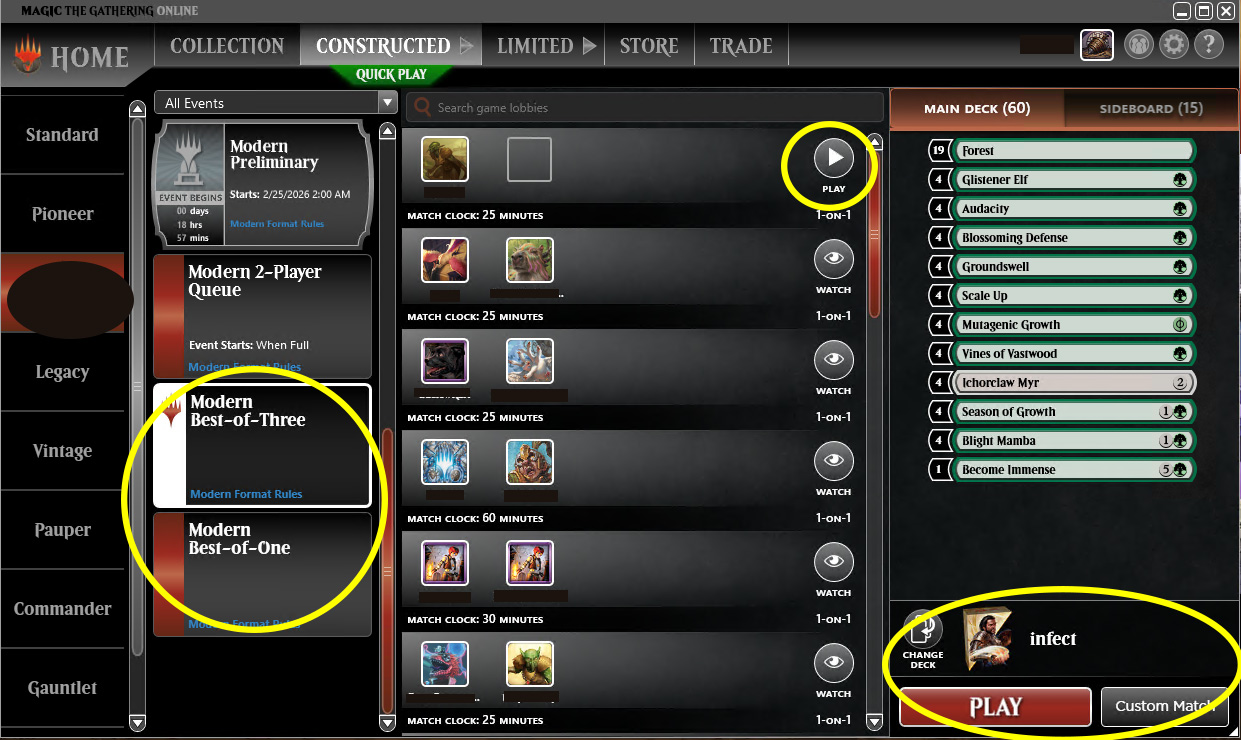
Find and create custom matches within each format’s room in the Constructed scene. Pick a format, then find that format’s “Best-of-One” or “Best-of-Three” lobby from the event list. With your deck selected on the right, join an available match from the match browser or host a match using 'Custom Match' (bottom right). You can also select ‘Play’ to be added to the first available game in the format, regardless of if it’s a duel or multiplayer.
TIP: Before joining a match, check for comments that indicate specific rules or requirements by the game's host.
Buddy Challenge
Right click a username and click ‘Challenge Player’ to begin a buddy challenge. Select which format, choose your deck, and adjust the match settings to your liking. Click ‘OK’ to initiate the challenge. Your opponent will then be prompted to select a deck and accept the challenge, or decline.