Combo Play Improvements
Posted on Aug 05, 2026
We’re excited to bring you some fantastic pace-of-play improvements, especially for combo players! We know players want features to help execute repetitive combo loops quickly and with fewer clicks, and we’re thrilled to bring you two game-changing shortcuts for the Arbitrarily Large set.
The Task
This spring our team delved into the world of CEDH tournament play and took feedback from some top influencers in that sphere. The overwhelming top request was to create an attractive environment for multiplayer metagames built around early combos: make them work in the allotted time and reduce the total amount of clicks to complete them.
Getting combos solved for CEDH in particular will have the happy knock-on effect of helping out 60-card duel play too! Who hasn’t labored through Kiki-Jiki/Splinter Twin and Pestermite/Deceiver Exarch? Some more convoluted combos have been almost impossible to pull off against our chess clock – Bomberman from Legacy comes to mind.
An important note: We will make liberal use of existing Yield functions as well as the new Save Targets options to make this all work.
Combo Shortcut #1 – Always Target This Name
The first major group of improvements home in on classic blink combos involving targeted triggers. This includes Restoration Angel/Saheeli Rai and Felidar Guardian, Kiki-Twin, and other patterns where you are repeatedly choosing an object with the same name.
Base Case – Felidar Guardian & Restoration Angel
First, let’s get Felidar Guardian into play with nothing else beyond lands, then cast Restoration Angel.
By right-clicking the trigger waiting for a target, a new option of “Always target this name” appears. Choose this and then choose Felidar Guardian to stack that trigger. Both the card and its related trigger gains a yellow triangle in the lower-left corner – the auto-choice icon.
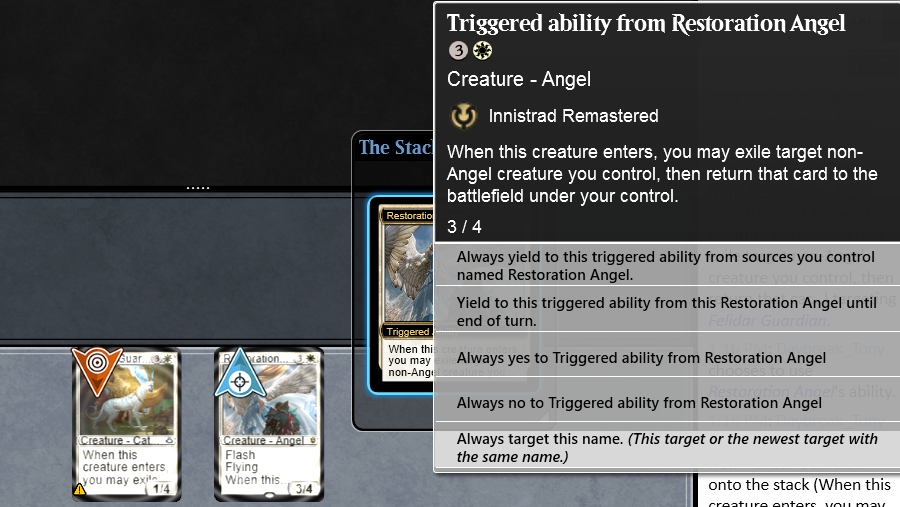
With that trigger still on the stack, right-click it and set auto-yields. That is – Always Yes (because it’s an optional trigger), then the top Always Yield choice. Finally, click No Response (or press your OK hotkey), then choose Yes to do the first iteration.
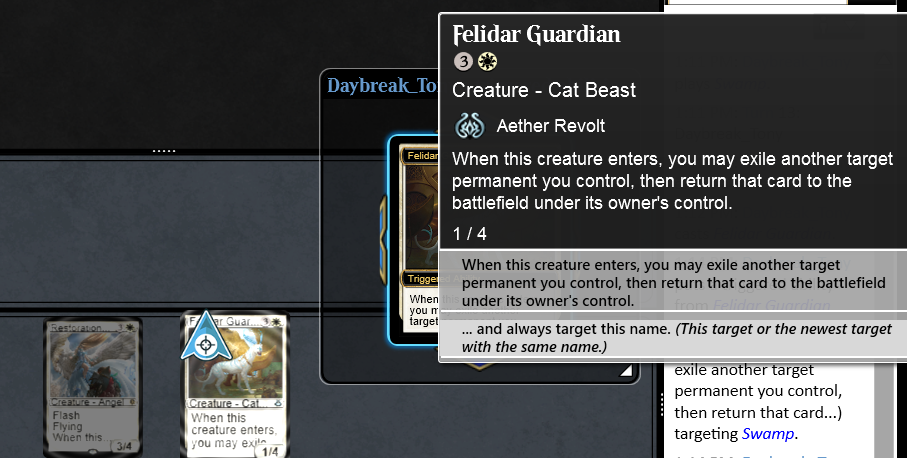
The Felidar Guardian blinks into play. Repeat this process for the Guardian’s trigger: right-click to choose "... and always target this name", choose the Angel, set the auto yields, then click OK/Yes to kick off the sequence.
If these are the only two nonland permanents you control, they will blink each other continuously for about 1 minute. Note that with all of the yields set you cannot break the loop manually even though these are “may” triggers. It is quite satisfying to watch, though!
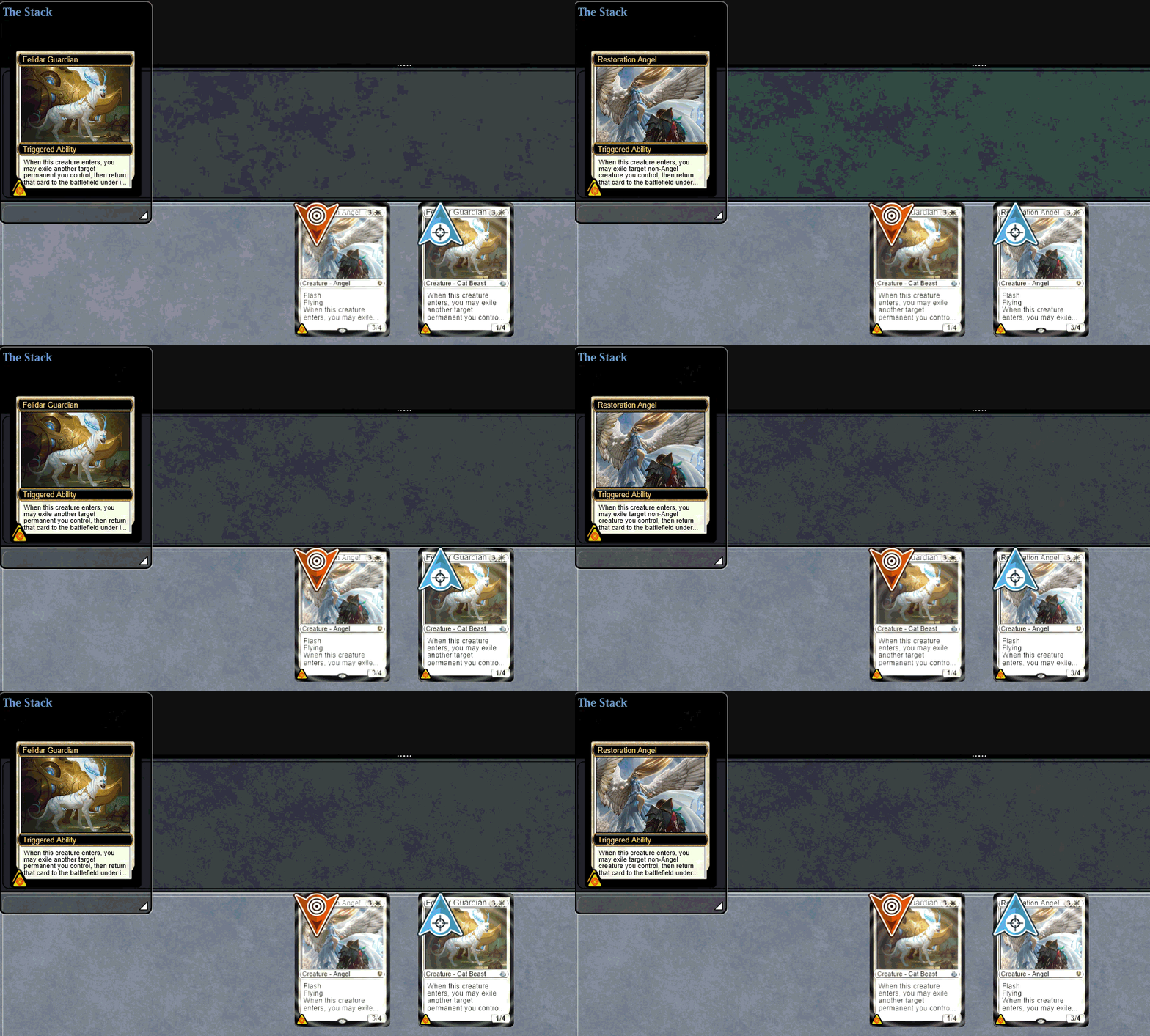
To break the sequence here when prompted again, right-click and choose Always No.
If you swap in Saheeli Rai for Restoration Angel, you’re able to save targets via right-click, but you still must manually left-click Saheeli’s -2 ability for each time through the loop. It's not as aesthetically pleasing, but way fewer total clicks and it gets the job done.
Adding a Win Condition
Now let’s get a new board state with Felidar Guardian paired alongside Corpse Knight to get infinite drains once Restoration Angel appears.
There are a couple extra wrinkles here.
- First, ensure the Corpse Knight trigger’s Always Yield are set.
- If the third combo piece is optional like Soul Warden, both Always Yes and Always Yield are required
- Once that’s done, every time you create a Guardian or Angel, a Corpse Knight trigger will appear alongside the other creature’s trigger. In order to apply the drain before the next creature appears, be sure to stack the Corpse Knight last (to resolve first).
- When the combo is going, the only repetitive action is to stack the triggers. It will be much more efficient than before these changes.
Splinter Twin & Kiki/Exarch
This Modern classic combo set works differently depending on the particular combo pieces you have:
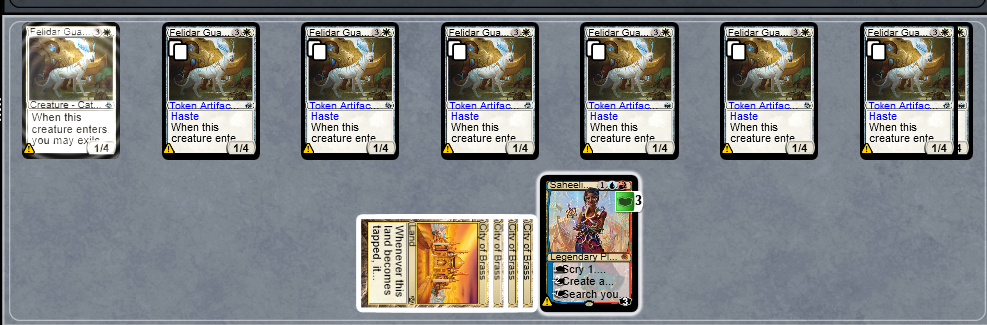
If you have Pestermite, then get Splinter Twin or Kiki-Jiki, the Mirror Breaker into play, creating many hasty Pestermites with which to kill the opponent takes half the clicks as before this update.
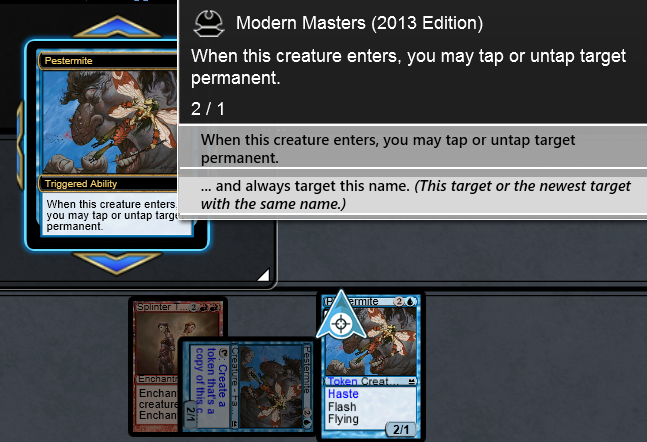
- Click Kiki-Jiki or the enchanted Pestermite, then target the Pestermite.
- When the new Pestermite appears, right-click its trigger to choose “… and always target this name”. Click the enchanted Pestermite or Kiki-Jiki.
- When that trigger reaches the stack, click Always Yes (to confirm the untap), then Always Yield.
- From here, each click of the Splinter’d Pestermite/Kiki-Jiki produces an untapped hasty Pestermite.
- This remains in effect across turns should your opponent be able to interrupt you with Cryptic Command or similar.
If you have Deceiver Exarch, there is one extra step per iteration because it involves a modal choice. When choosing “… and always target this name” under the Untap options, it will save that target when you click Untap on the next Exarch’s trigger.
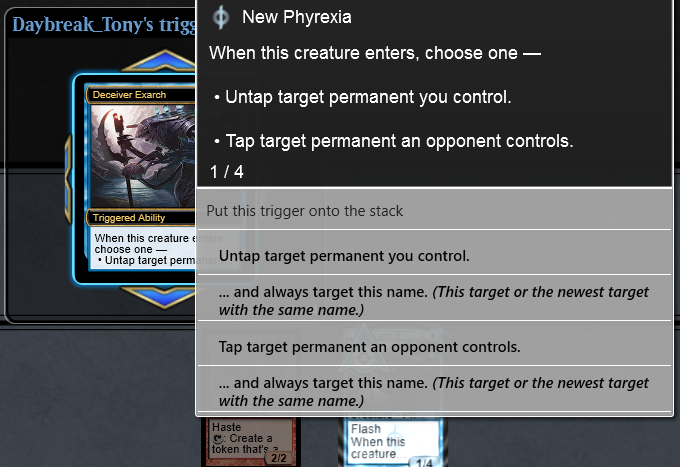
Don’t forget to choose Always Yield with the trigger on the stack!
Melira Combo
Players can be targeted in the same way with combo pieces that save targets in order to save clicks.
For example, the trio of Murderous Redcap, Melira, Sylvok Outcast, and Carrion Feeder produces infinite damage – 2 points at a time. The Redcap’s trigger can point at a player with saved targets, then setting up the yields enables three clicks per two damage (two on Feeder, one on Redcap as the sacrifice).
In a multiplayer game, once the first player loses, you will have to turn off all auto-yields (the 5 key is default) and set them up again to get the next player in line eliminated.
Combo Shortcut #2 – 1-Click Mana from Multicolor Producers
Combinations that require a specific color of mana to be generated each loop can now be set up.
If a combo involves creating arbitrary amounts of Treasure, for instance, you can codify which color is produced each time.
To do this, right-click the Treasure and hover over the arrow beside the chosen mana color, then click "... and always add [X] from sources named Treasure Token". The mana from this Treasure will automatically be added and the auto-choice marker on other Treasures.
Once that is in place, each future Treasure cracked while actively paying costs generates the same color with a single click! If you want to float mana from a Treasure, it's two clicks, but the only option you'll see is your chosen color.
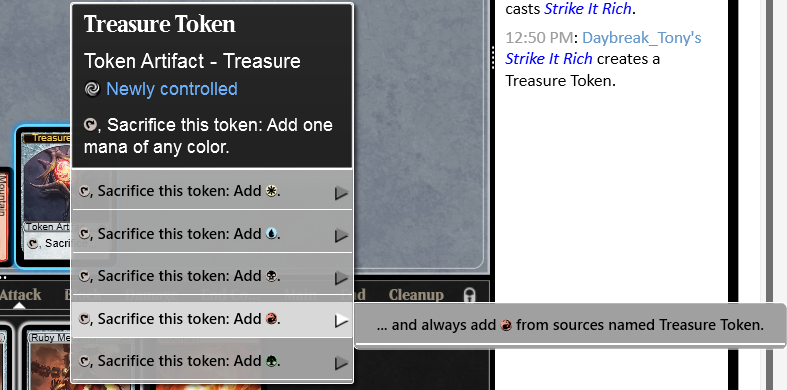
Similarly, any permanent that can generate multiple choices within a single mana ability can have a color preference saved this way. This includes Ignoble and Noble Hierarch, Signets and Talismans of all stripes, and more. (Triomes, as well as multi-mana creatures like Smokebraider, don't have this function)
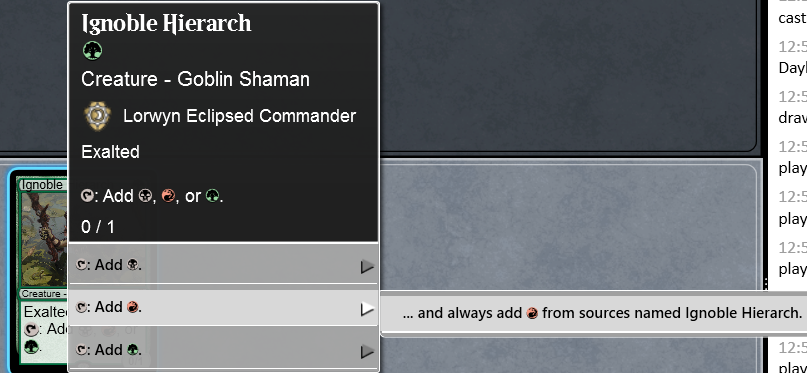
Left-clicking a permanent that can produce two or more colors of mana naturally will act the same as always. Right-clicking that permanent adds extra options.
Turning Off Shortcuts
If you need to adjust the auto-choices for combo pieces, the usual method is in place – Remove All Auto-Yields, which is defaulted to the 5 key, will clear all auto-choices made. You can also right-click the permanent with the auto-choice and select "Clear saved types".
You cannot undo saved choices of a trigger that has already reached the stack, so you'll need to stay on top of the game state if there is a sudden change needed.
The mana ability shortcut does not yet get turned off with the 5 key. Also, if the mana ability can't currently be activated (i.e. all your Treasures are tapped), you won't be able to clear saved choices from it.
Improvements on the Horizon
We'll work toward unifying the look and actions of these sub-menus as part of a future update.
We're also not done in this combo space yet. Further down our combo mini-roadmap is the ability to spend mana faster, particularly when you don't care what type it is.
We are the place for rules-enforced multiplayer Commander and the home of competition across all Magic formats. So, anything we can do to make these experiences easier to play and watch is vitally important to our team!
Suggestion Box
If you have other ideas for how we can speed up combos or other aspects of game play, please visit our Forums page – forums.mtgo.com (your login there is the same as for the game). Search the Suggestions forum for ideas already raised and upvote them, or create new ones for community consideration.