Quality of Life Improvements – November 2025
Posted on Nov 12, 2025
Hello Magic Online fans: your friendly Product Manager Tony Mayer here! For those who are new here, I am the weekly voice of MTGO via our Announcement Blogs here on MTGO.com and decide all facets of events and items in the Store: costs, prizes, formats, schedules, etc.
Gathering Momentum
Our team gathered together for a great in-person meeting over the summer to brainstorm big ideas for the future of our game. We focused on a number of advances in small groups and our leadership has begun plotting a course for how and when to complete them.
Over the next year-plus, we’ll do our best to debut new features that are either needle-movers or smaller quality-of-life upgrades with each set release.
In addition to the changes to the New Player experienced being discussed in this article, here are the first batch of improvements coming to MTGO following tomorrow's downtime.
In-Game – Descriptive Prompts Instead of OK
At our first MagicCon in 2023, one of the most important pieces of feedback we received while watching players use our game in person was that it was difficult to tell when the action was on them. We helped improve that by adding the blue moving light around the prompt box last year.
But we also learned that players were having trouble grokking what the OK button actually meant in certain contexts. “It's telling me to cast spells in my first main phase, so I click OK to begin doing that and oops, I passed right through it.”
So we’ve updated the button itself to be dynamic – instead of OK, it’ll generally tell you what the next phase or step will be if you click it and everyone else passes priority.
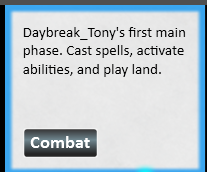
Pressing 1 (or your self-altered keybind) will act the same as clicking this button.
Play Now & Quick Play Buttons – 1-Click, 2-Click & Custom Options
We have devised a new set of buttons across Magic Online to get you playing casual games faster!
One Click from Collection
Each deck in your Collection will have a Play button under Decks & Formats on the bottom left of the screen. Additionally, if you are actively changing or viewing that deck’s contents, a Play Now button appears near the deck’s title. (The button is greyed out if the deck is illegal for its format)
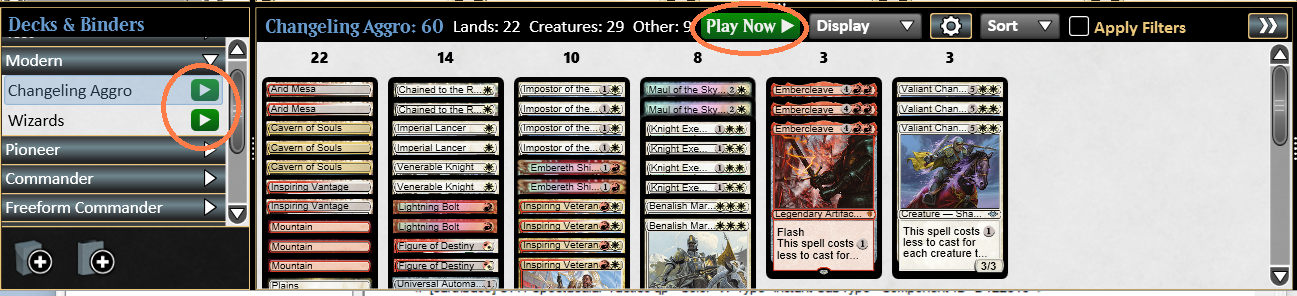
Click either of those and you’ll be matched immediately in a casual game if it’s available, or you’ll be the first player in a match waiting for someone else to join. The default is a multiplayer single game for Commander and a 2-player, best-of-three duel for all other formats (including Duel Commander). All matches with custom comments added are ignored for this matchmaking purpose.
Two Clicks from the Top
Want to fire up another casual or solitaire game with the same deck right after the previous one ends? Click Quick Play just under Constructed at the top of the screen. The most recent deck you played appears here.
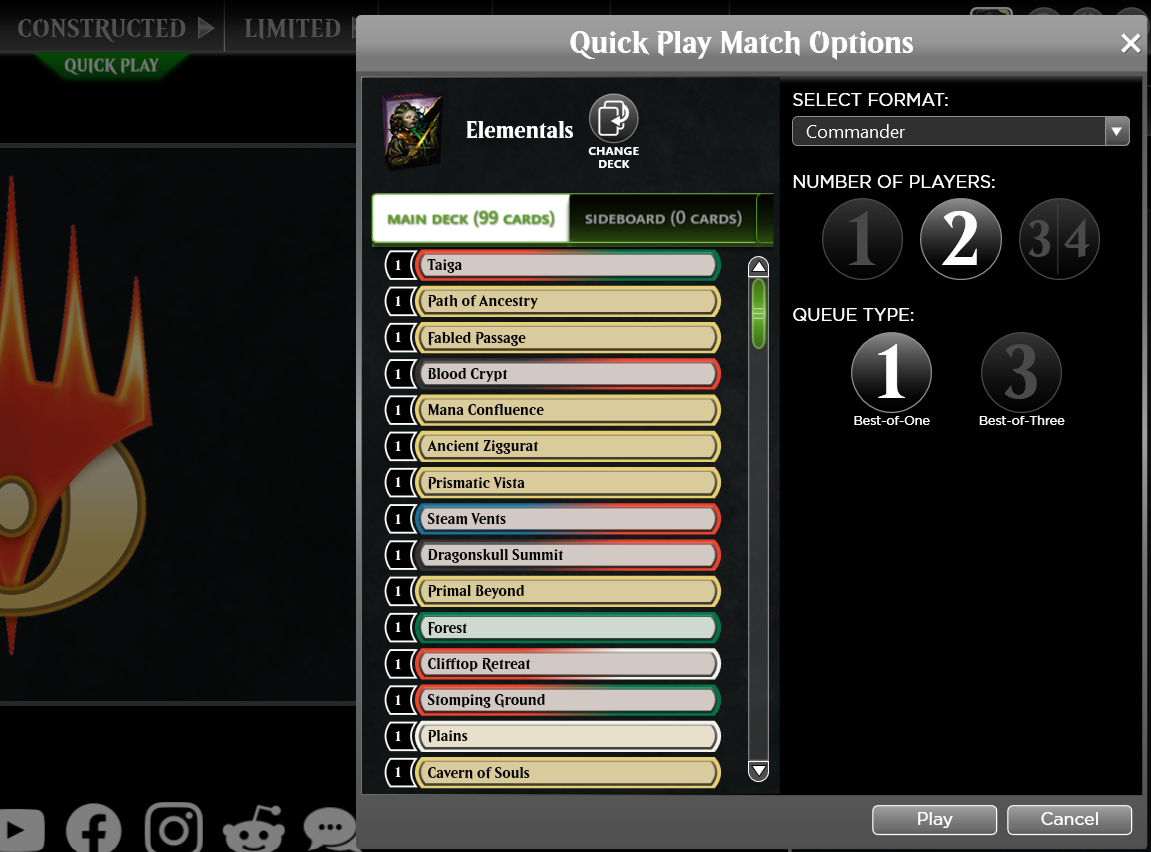
If everything looks good (number of players & games), click Join to get into the next available match. You do have the opportunity to change decks and formats with extra clicks if needed.
Custom Match Button
The old Create Match button in each format’s Best-of-One and Best-of-Three rooms has been renamed Custom Match to reflect the extra options you can set.
For example, if you want to define the Bracket for your Commander game, Custom Match is where to make those selections.
NOTE: Other options for joining casual matches, including via Buddy Challenge or clicking the Play button on a specific game in the center of the Play Lobby, have not changed.
Play Lobby Re-Organization
Because most Commander players are enjoying Open Play games as opposed to competing for prizes, we’ve moved the Commander open play room to the top of the list within the Commander tab – no more scrolling!
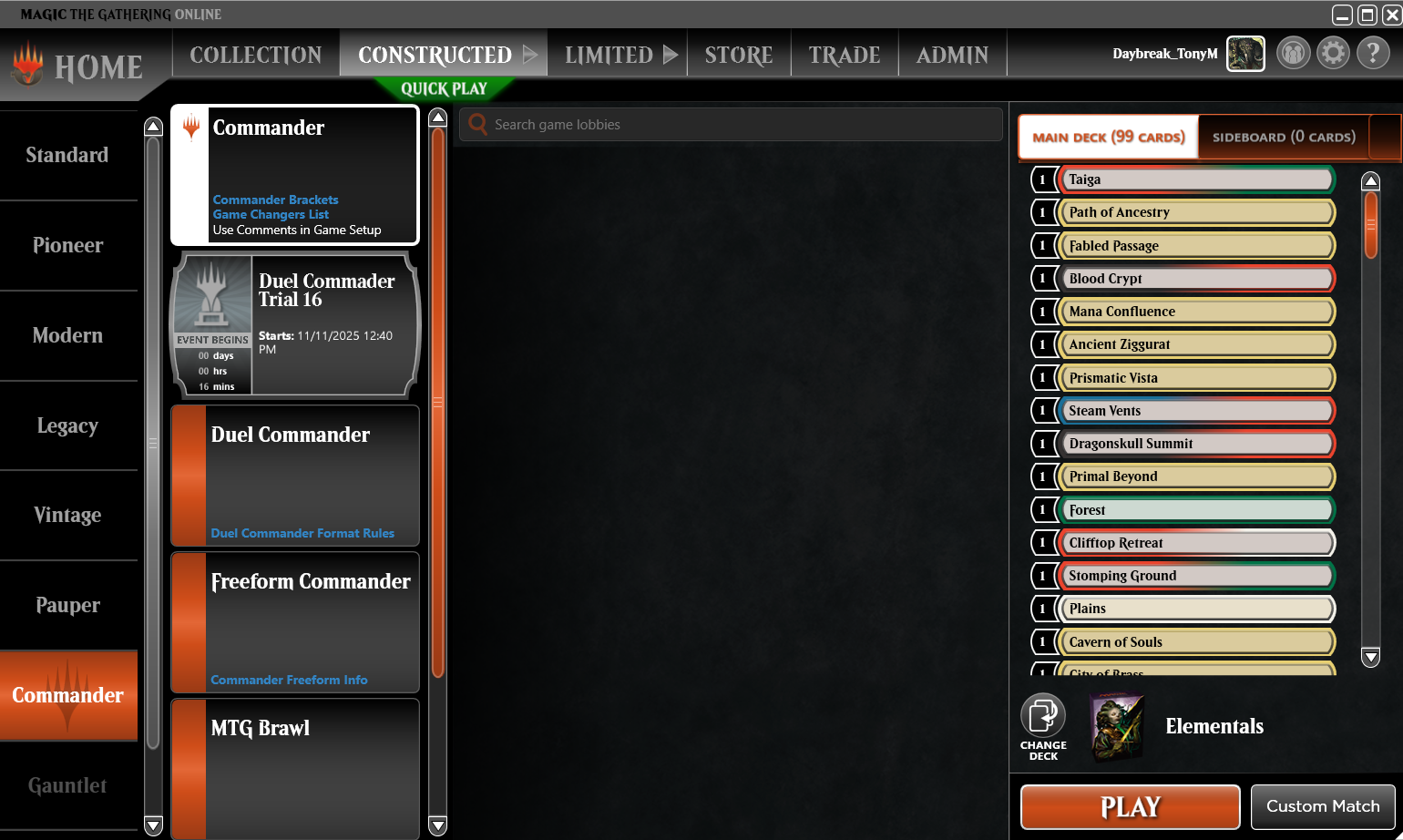
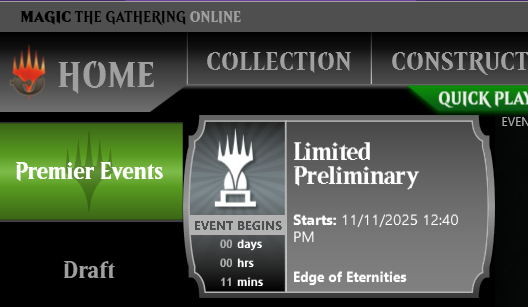
Finally, no more guessing what Limited format a Scheduled Event will use ... each individual event will have text stating the format and/or information about where top finishers advance.

Forward Progress
The Magic Online team continues to make steady progress in providing a great experience, whether you have been here since the beginning or are just now discovering us.
Stick around for a while – our popular Holidays promotions are just over a month away, and there’s always opportunities to play for fun and to compete at the highest levels of Magic. Thanks for being a part of it!